
Search
HAEVN indexes the full text of every synced conversation, so you can search across your entire archive in milliseconds — regardless of which platform a conversation came from.
How to search
Section titled “How to search”Type in the search box at the top of the Archive view. Results appear automatically as you type, grouped by conversation and showing matching snippets.
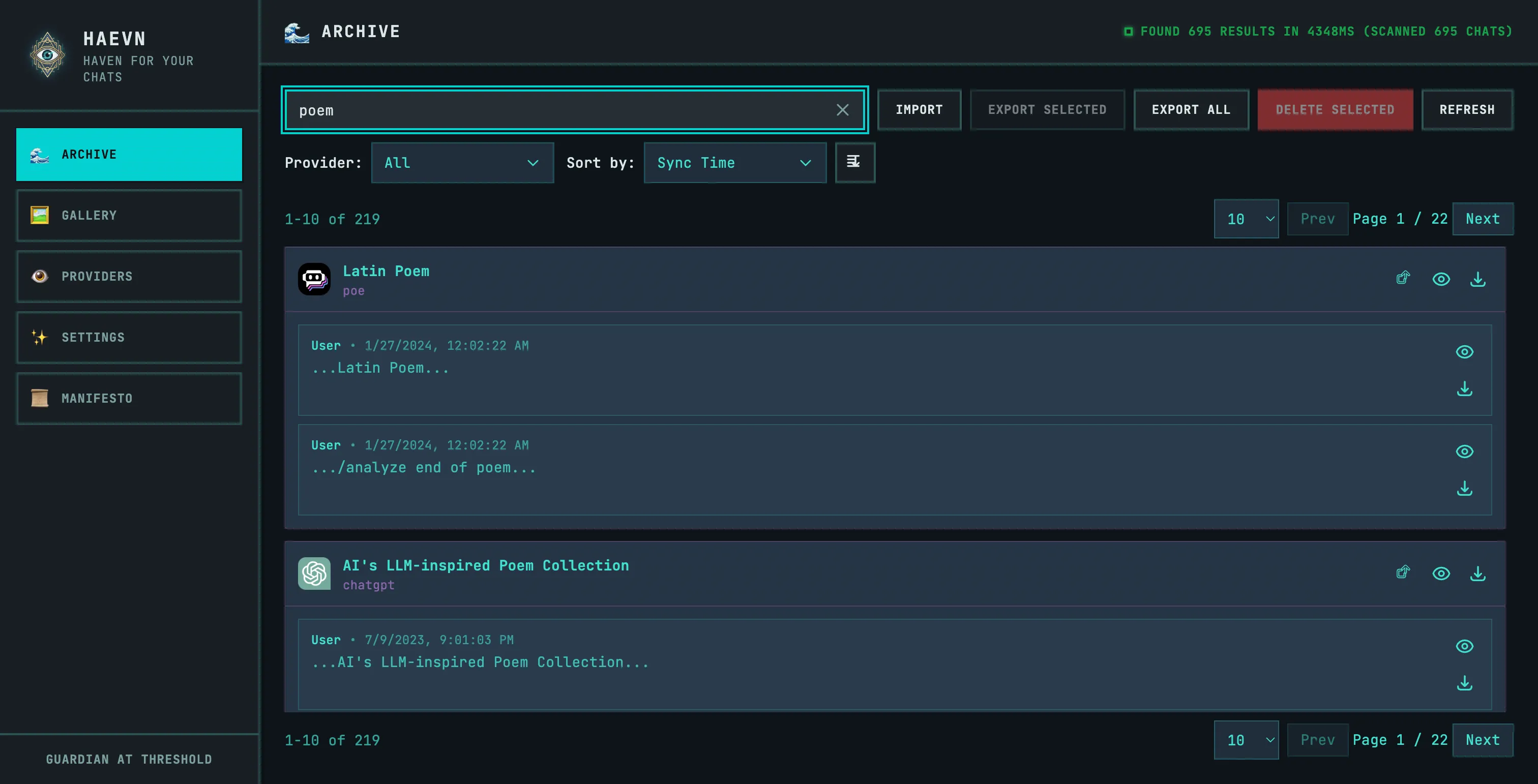
Each result shows:
- The conversation title and source platform
- Matching message snippets with the search term highlighted in context
- A Show more button if there are many matching messages within a conversation
- Open in Viewer and Export buttons to act on results directly
Search tips
Section titled “Search tips”Exact phrases: Wrap your query in quotes to match a specific phrase.
"Ingeborg Bachmann"Multiple terms: Separate words with spaces to find conversations containing all of them.
python async functionTitles only: The search covers both titles and full message content, so short queries often match more than you’d expect. If you’re looking for a specific conversation title, try a distinctive phrase from the title.
How search works
Section titled “How search works”HAEVN uses Lunr.js to build a full-text index of your conversations. The index is built incrementally as conversations are synced — new conversations become searchable immediately after syncing.
Key characteristics:
- The index runs entirely in your browser — no search queries leave your machine
- Search is case-insensitive
- Common stop words (“the”, “a”, “is”) are excluded from the index
- The index is stored locally and persists across browser sessions
Filtering search results
Section titled “Filtering search results”After searching, use the Provider dropdown to filter results to a specific platform. This is useful when you know the conversation was on ChatGPT vs Claude, for example.