
The Viewer
The Viewer renders archived conversations in a clean, distraction-free reading view. It supports the full range of content types that HAEVN captures — not just text.
Opening the viewer
Section titled “Opening the viewer”There are three ways to open a conversation in the viewer:
- From the Archive: click Open in Viewer on any conversation row
- From Search results: click Open in Viewer on any search result — the viewer will scroll to and highlight the matching message
- Direct link: navigate to
viewer.html?chatId=<id>within the extension
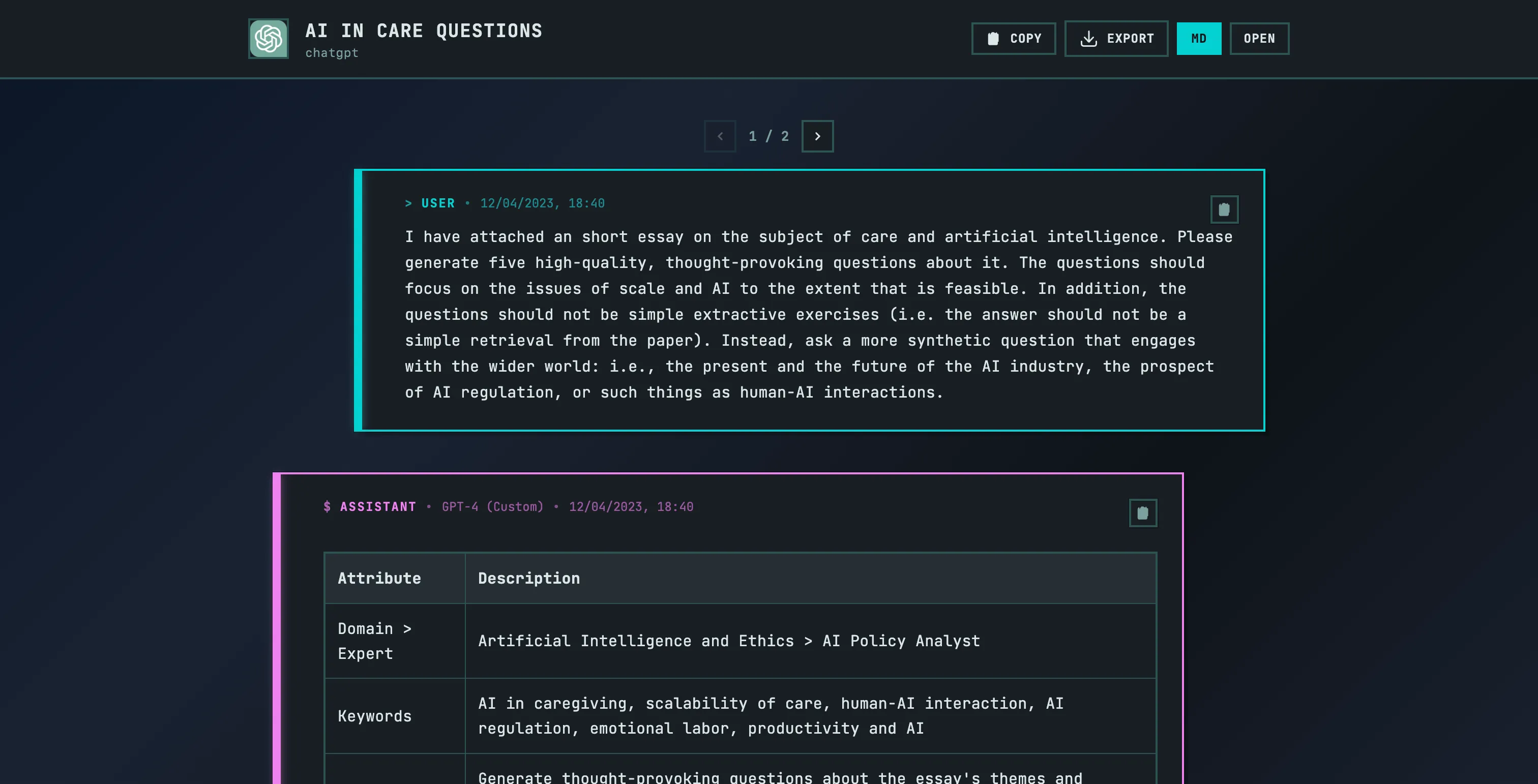
Viewer features
Section titled “Viewer features”Message formatting
Section titled “Message formatting”All Markdown is rendered — headers, bold, italics, tables, blockquotes, and lists. Code blocks are syntax-highlighted with language detection.
Multi-modal content
Section titled “Multi-modal content”- Images: displayed inline, including AI-generated images
- Documents: shown with file name and type; downloadable where available
- Audio and video: rendered with playback controls
Thinking blocks
Section titled “Thinking blocks”When a model like Claude uses extended thinking, the thinking content is shown in a collapsible block above the response. Click to expand and read the model’s internal reasoning.
Tool calls
Section titled “Tool calls”Tool use is rendered in-line: you’ll see the tool name, the input parameters, and the output, formatted clearly for readability.
Conversation branches
Section titled “Conversation branches”If you explored multiple response paths in a conversation (by regenerating a response), the viewer shows branch navigation controls. Switch between branches to compare different response paths.
Viewer actions
Section titled “Viewer actions”The toolbar at the top of the viewer provides:
| Action | Description |
|---|---|
| Copy | Copies the full conversation to clipboard as plain text |
| Export | Downloads the conversation as JSON or Markdown |
| Open | Opens the original conversation on the source platform |